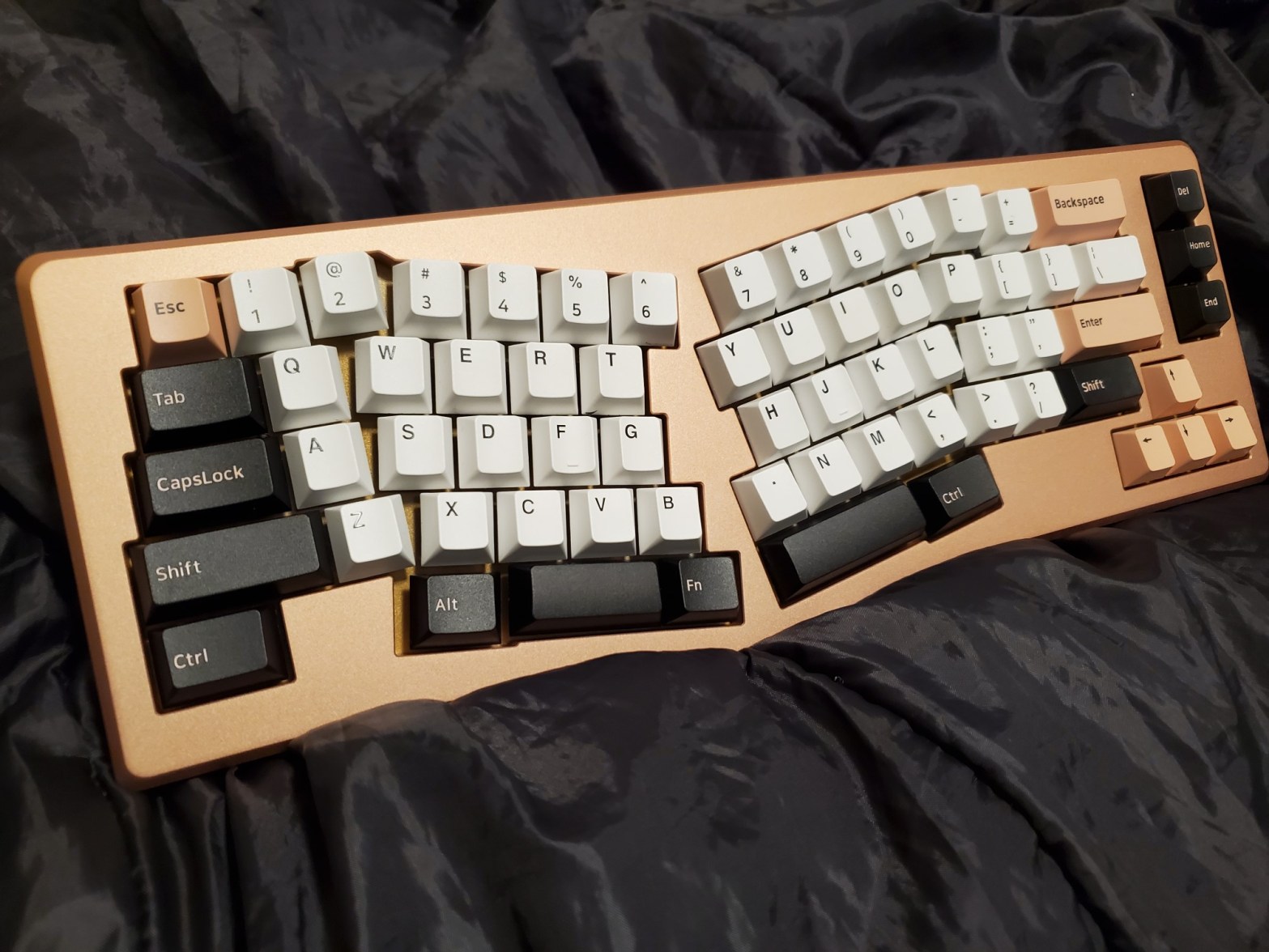
Featured on KBDFans (a store dedicated to all things mechanical keyboard) is the Vulcan x Maja mechanical keyboard kit, an Alice-style ergonomic keyboard that may or may not be affordable for the public. But trust me when I say this is one of the cheaper options for an Alice-style board.
Because my sister started having wrist issues and was looking into ergonomic things, I bought this kit as her keyboard solution. I wasn’t sure Rose Gold would be a color choice but I’m very happy with the color now that I’ve seen it with my own two eyes (pictures may not be color correct – the lighting in my house is horrible).
Here it is all built up:
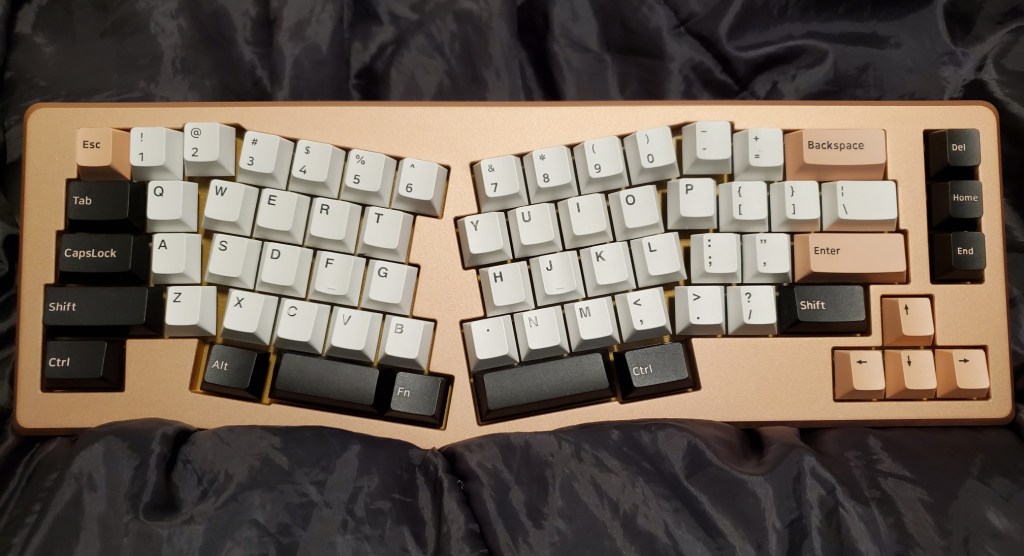
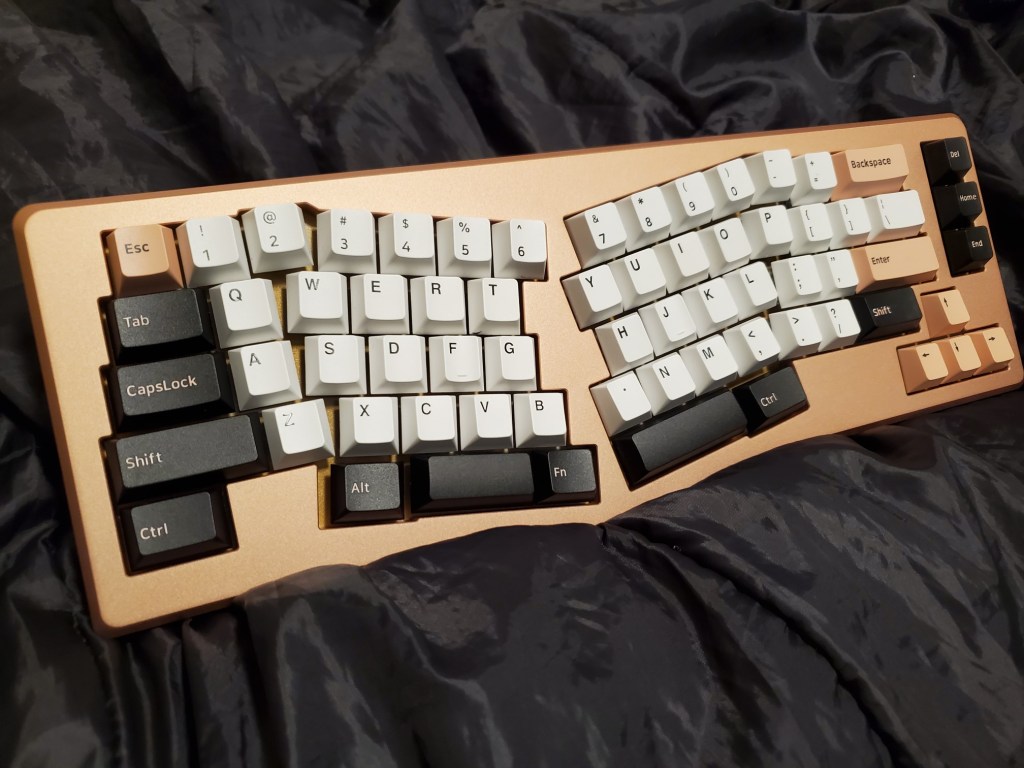
Again, terrible lighting but hopefully you get a sense of what it actually looks like.
Now this keyboard is damn heavy. I thought the GMMK Pro was heavy but that’s a lightweight compared to this lovely monstrosity. The keyboard itself is aluminum and there’s an additional brass weight you slot into the back to make it even heavier.
Whoo, I was getting an arm workout out of trying to take pictures of this.
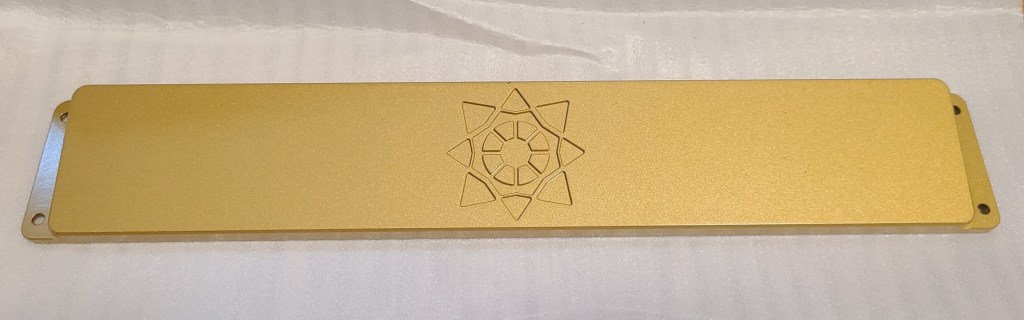
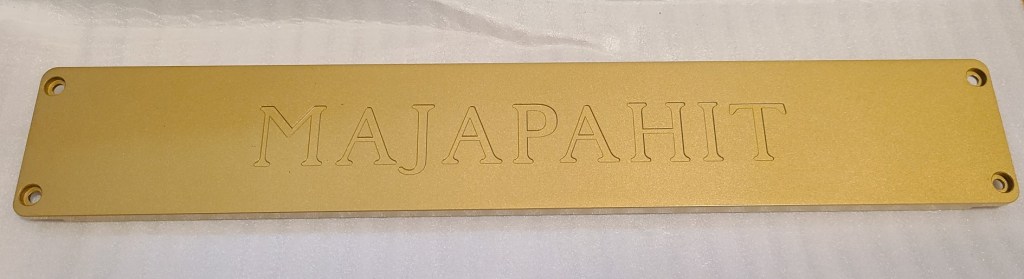
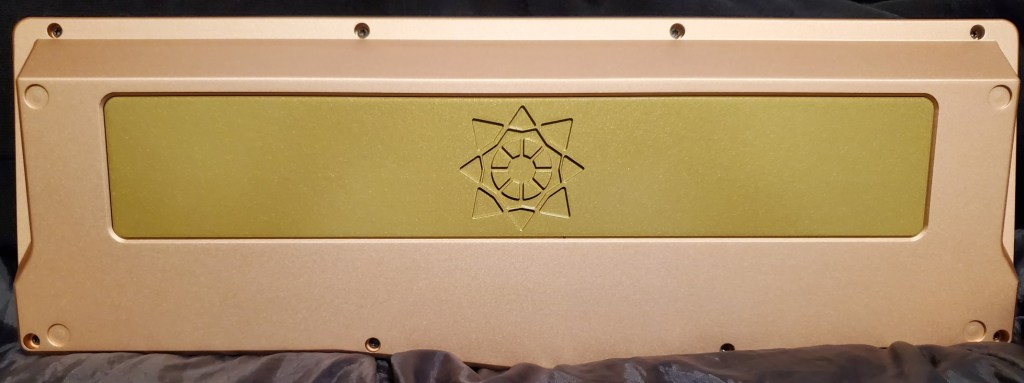
In total, it weighs nearly 7lbs.
I got the hotswap version of this board to make it easier on myself and easier to test out what switches would go well with the board. It’s lucky I did since we ended up testing quite a few switches on it. In the end though, we ended up going with BOX Crystal Jade switches (clickies) around the outer ring (mods) and Kailh Speed Copper switches (tactile) for the alphas.
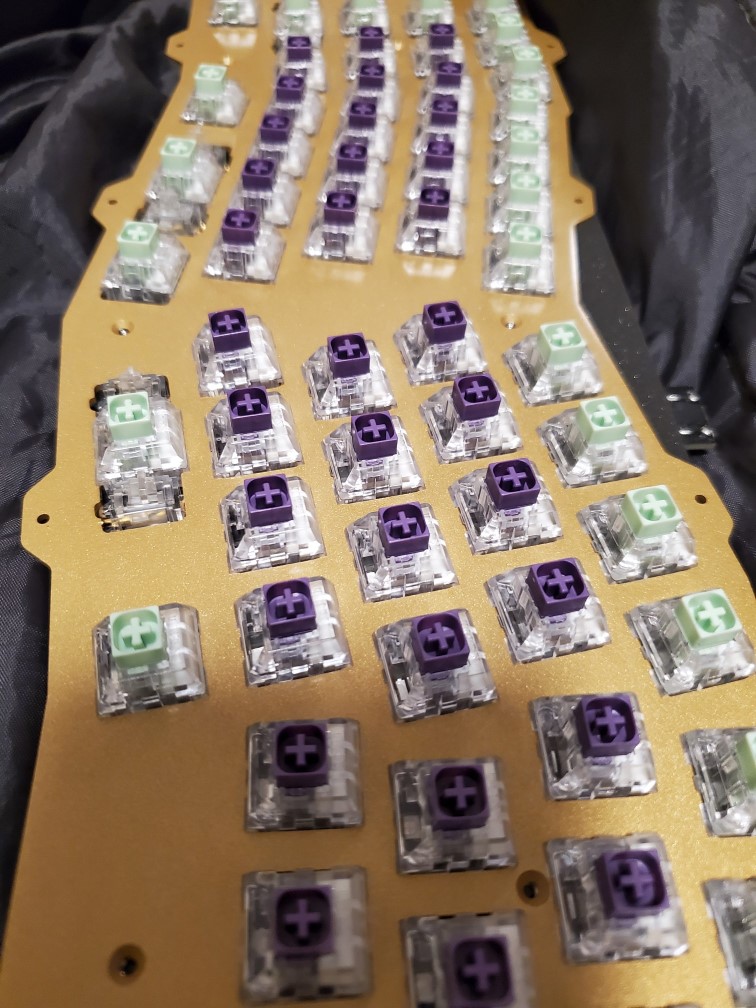

I’ll admit, the choice/placement of switches is… awkward, but my sister seems to like it so I guess it works out. Personally though, I think flipping the clickies and tactiles would work better, but that’s just personal preference.
Speaking of, if you’re thinking of purchasing this, you’ll need to buy switches, keycaps (pay attention to the space bar sizes offered cause these aren’t standard!), and stabilizers separately – this is just a barebones keyboard. Oh! You’ll also need a USB-C chord as well. Don’t forget that one cause you won’t be able to use it otherwise.
However, once all the pieces are in, it’s pretty much ready to use. You just have to use a tool like VIA or QMK to set the keys how you like them (spacebar isn’t set as the spacebar as default). It’s pretty easy to configure though. Just open up VIA and select the keys you want each key to be. Totally configurable.
And there you have it. Done!
Did I mention it lights up?
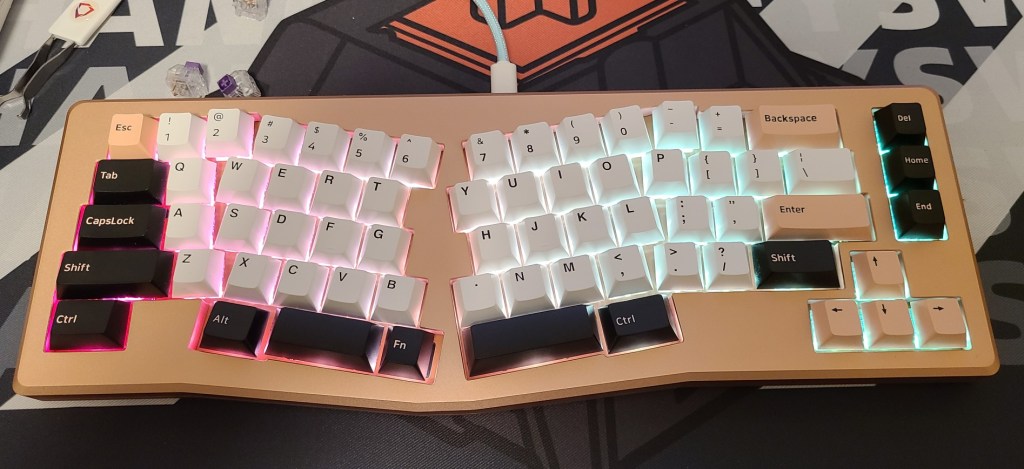
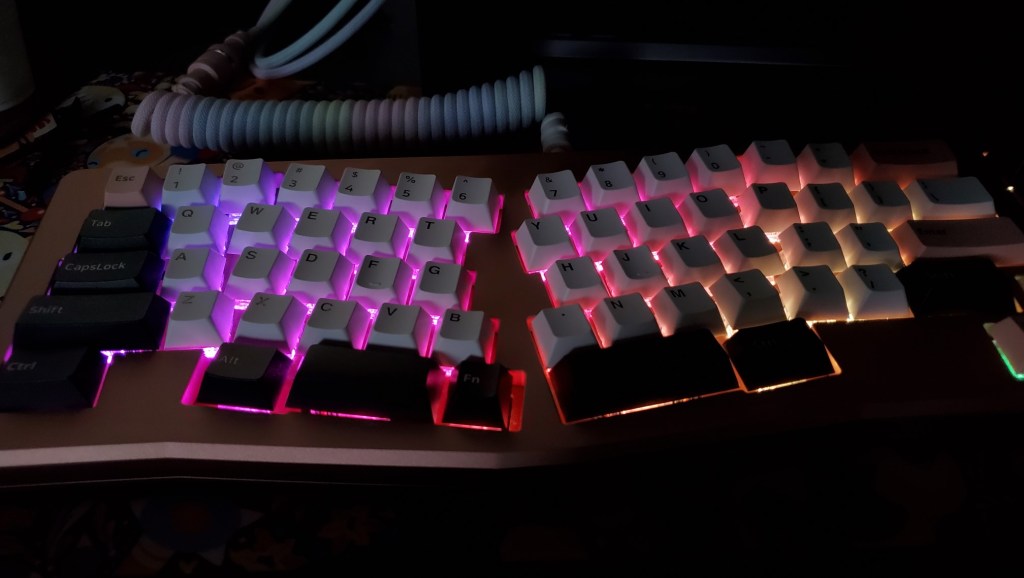
You have a good amount of control over the colors and the brightness and there’s a variety of different lighting options. I honestly thought it looked great with the lighter hues.
Overall, a really nice purchase. It is a little on the expensive side for those not deep into keyboard kits or custom keyboards but I think it was well worth the money for an ergo board. To be transparent, I probably spent a little over $400 for the entire thing, including switches, keycaps, stabilizers, etc.
Anyway, I’d recommend this keyboard for anyone looking for an ergo solution with arrow keys included.
Here’s the link if you’re interested: https://kbdfans.com/products/coming-soon-vulcan-x-kbdfans-maja-mechanical-keyboard-diy-kit?variant=33971520831627
Alright, that’s it for now. Talk to you guys later!
 EVERY DAY A MYSTERY